
- DISCORD COMMUNITY
Connect with students, instructors, and the Sierra Division community.
- FOLLOW US
Connect with students, instructors, and the Sierra Division community.




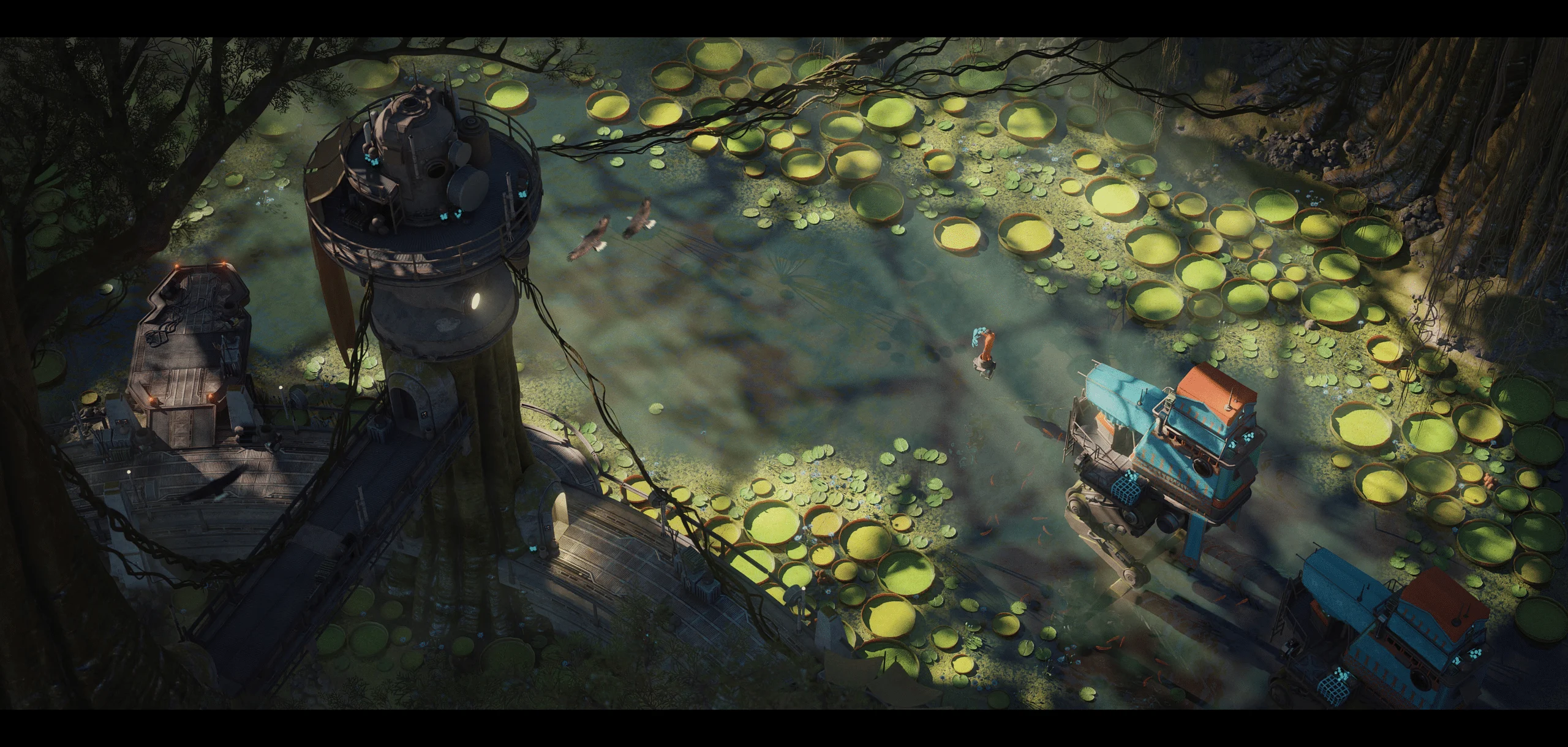
Under the expert guidance of Ben Keeling, Principal Environment Artist at Studio Gobo, this modular environment course teaches how to build captivating environments using AAA production workflows.
Under the expert guidance of Ben Keeling, Principal Environment Artist at Studio Gobo, this modular environment course teaches how to build captivating environments using AAA production workflows.
Using tools such as Blender, Substance 3D, and UE5, Ben guides you through building a complete modular game environment from start to finish. You will learn how to break down a scene into efficient, reusable pieces, and create materials, trims, and shaders to support the environment. The course covers a range of asset types, from modular kits to hero and unique props. You’ll also complete set dressing passes and lighting using time of day, practical lights, and emissive elements.
By the end of the course, you will have a fully realized real-time environment in Unreal Engine 5, along with portfolio-ready renders. This course is designed to function like a guided group mentorship, with a focus on specific, real deliverables and outcomes. It’s a viable alternative or stepping stone towards mentorship, at a fraction of the cost.
8 Course Assignments

Collaborative workspaces where students submit weekly assignments, receive feedback, share WIPs, and learn from the progress of their peers.

Get clear visual feedback through paintovers and detailed comments that help you understand exactly what to improve.
Follow the progress of other students and discover new techniques, workflows, and creative solutions through their WIPs, project breakdowns, and mentor feedback.
From references and workflow tips to paintovers, everything is organized in one place for easy access throughout the course.
Learning alongside other artists helps keep you inspired, accountable, and committed to your goals.



Ben Keeling is a Principal Environment Artist at Studio Gobo with over 13 years in the games industry. He has helped shape worlds on major AAA titles across leading studios, including Need for Speed, Halo, Suicide Squad, Star Wars, VR projects, and Iron Man.
Outside of work, Ben enjoys sharing his creative process on ArtStation, creating tutorials, and now teaching artists at Sierra Division Academy.
All options include the complete course. Choose the amount of time that best fits your learning style.

To create a group, please log in or register.
Log In / RegisterHave questions about the course, prerequisites, or anything else? Drop us a message and we'll get back to you shortly.




Set yourself up for success in the games industry as an environment artist. Learn how to build a professional 3D environment art portfolio that shows you’re ready for a AAA studio role.
In this group mentorship course, expert environment artist Alex Beddows from That’s No Moon shares industry insights and provides personalized feedback you won’t get from self-paced tutorials. Through in-depth video lessons and live Q&As, you’ll receive clear guidance on working within a professional production pipeline and how to improve your skills.

Realism in texturing is more than detail; it is about creating materials that feel alive. In this course, Sierra Division Environment Artist Niels Couvreur will guide you through Substance 3D Painter to achieve that level of authenticity.

In this in-depth game art texturing masterclass, Robin will take you through the complete 3D texturing pipeline used in AAA game production. You’ll learn how to organize your workflow, create optimized textures, and understand how each step connects to professional studio standards.
We use cookies to improve your experience on our site. By using our site, you consent to cookies.
Websites store cookies to enhance functionality and personalise your experience. You can manage your preferences, but blocking some cookies may impact site performance and services.
Essential cookies enable basic functions and are necessary for the proper function of the website.
CloudFlare provides web performance and security solutions, enhancing site speed and protecting against threats.
Service URL: developers.cloudflare.com (opens in a new window)
These cookies are needed for adding comments on this website.
Google reCAPTCHA helps protect websites from spam and abuse by verifying user interactions through challenges.
Google Tag Manager simplifies the management of marketing tags on your website without code changes.
These cookies are used for managing login functionality on this website.
Stripe is a payment processing platform that enables businesses to accept online payments securely and efficiently.
Service URL: stripe.com (opens in a new window)
WooCommerce is a customizable eCommerce platform for building online stores using WordPress.
WP Consent API is a plugin that standardizes the communication of accepted consent categories between plugins.
Statistics cookies collect information anonymously. This information helps us understand how visitors use our website.
Google Analytics is a powerful tool that tracks and analyzes website traffic for informed marketing decisions.
Service URL: policies.google.com (opens in a new window)
Hotjar is a behavior analytics tool that helps site owners understand how visitors use their site through heatmaps, session recordings, surveys, and feedback widgets.
Service URL: www.hotjar.com (opens in a new window)
SourceBuster is used by WooCommerce for order attribution based on user source.
Marketing cookies are used to follow visitors to websites. The intention is to show ads that are relevant and engaging to the individual user.
Facebook Pixel is a web analytics service that tracks and reports website traffic.
Service URL: www.facebook.com (opens in a new window)
Google Ads is an online advertising platform that enables businesses to create targeted ads displayed on Google search results and partner sites.
Service URL: business.safety.google (opens in a new window)
A video-sharing platform for users to upload, view, and share videos across various genres and topics.
Service URL: www.youtube.com (opens in a new window)
Find mentorships & courses across Sierra Division Academy
Choose whichever works for you, your seat is reserved either way.
Pay the full amount today and you're all set, no further payments.
Split the cost into equal monthly installments through PayPal or Klarna.*